Note: No affiliate links and no sponsor on this one. Every command and every line of output below came off my own machine, and I've marked the places where I couldn't confirm something.
One sentence in the reporting got me out of my chair. Security vendor Aikido, writing about the npm compromise on August 4, described the trigger condition like this:
"the next time any developer opens the repository in VS Code or starts a Claude Code session inside it"
I start a Claude Code session inside a repository several times a day. So does most of the audience for this site.
This is not an incident report. There are plenty of those already, and they all lead with the same thing: a package count. I ran this checkup on my own two projects on August 5, and the commands and the output below are printed as they came out. The check itself came back clean. The part that didn't was my own bookkeeping — when I reopened the four sources to quote them properly for this post, three of the four figures in my notes turned out to be attributed to vendors who never published them. That took about forty-eight hours to happen, to someone paying attention.
What this thing actually does to a machine like mine
The short version, and I'm attributing all of it because none of it is mine.
Aikido's report traces the start to a takeover of the keyv maintainer's GitHub account. The method they describe:
"The compromise was carried out by pushing malicious files directly to the
mainbranch and then immediately cutting a new release."
Five packages come up as the first wave across every source I read: keyv@6.0.0, cacheable@2.5.1, cacheable-request@13.0.20, flat-cache@6.1.24, and file-entry-cache@11.1.6. Those five agree everywhere. Almost nothing after that does, and I've given that its own section further down.
Two things make this different from a normal bad-package story for anyone running an AI coding agent.
If you don't use one, the second half still applies to you. The source-count section and Steps 4 and 5 are plain npm and work on any Node project. Skip ahead if the .claude paths aren't yours.
The first is the trigger I quoted at the top. The event is opening the project. A postinstall script firing once during npm install would be easier to reason about, because you'd know exactly when it ran and could go look at that moment.
The second is where it puts down roots. The reporting describes the payload writing persistence into IDE and agent configuration files, naming .claude/settings.json and .vscode/tasks.json. That detail is the reason my check has two halves instead of one. If a hook survives in your settings file, deleting the package does not remove it. The next session runs the hook again. A package-list comparison, which is what most checklists give you, reports clean on a machine in exactly that state.
The report also describes the payload spreading itself, using harvested credentials so that
"the payload actively uses them to spread the malware to other maintainers and repositories"
Whether the campaign is still running, I don't know. It was being reported as active. I'm not going to tell you it's over.
The three checks I ran
Two projects live on this machine: ai-blog, which is this site, and arkids-viewer. Both are Node projects on WSL2, and both get opened with Claude Code. My agent config sits at /home/agent/.claude, with a second copy on the Windows side at /mnt/c/Users/<user>/.claude, because I move between them.
I ran all of it again on August 6 before writing. The output was identical, and the screenshots below are from that rerun.
Check 1: hash every config and hook file
You don't need my tooling for any of this — Step 1 below does the same job with find and sha256sum. I have a small script, integrity-watch.py, that takes a SHA-256 of a fixed list of agent config files — settings.json, hooks/*.py, hooks/*.sh, memory-capture/**/*.py, plus hooks/*.mjs on the Windows side — and compares against a stored baseline. Here's what it printed:
✅ 무결성 이상 없음 (파일 35개 해시 일치)
My tooling talks to me in Korean. That line reads: no integrity problems, 35 files, hashes match.
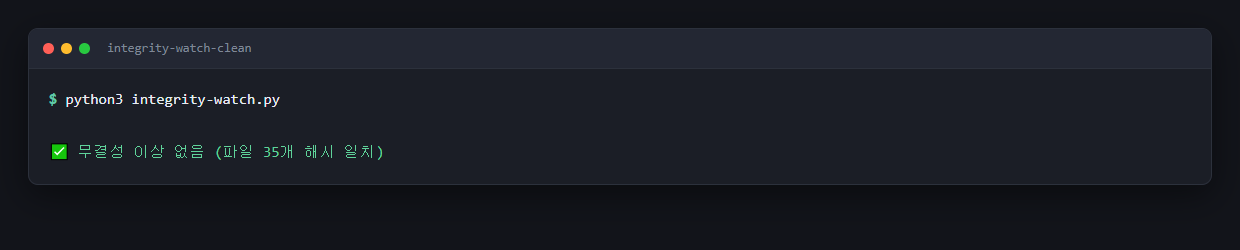
Reads: no integrity problems — 35 files, hashes match.
Thirty-five files, and the way they break down tells you what a baseline like this is actually watching:
| Location | Files |
|---|---|
/home/agent/.claude/hooks/ |
25 |
/home/agent/.claude/memory-capture/ |
5 |
/mnt/c/Users/<user>/ |
4 |
/home/agent/.claude/settings.json |
1 |
The 25 in that first row are all hooks. Three of the four Windows-side files are .mjs hooks too, so 28 of the 35 sit in that category. Those are the files that run on their own, at events I don't consciously trigger, which is exactly the surface the persistence behaviour aims at.
The two settings files carry these hashes in my baseline, first sixteen characters:
/home/agent/.claude/settings.json→313e7112ce32aa2b…/mnt/c/Users/<user>/.claude/settings.json→af7374690b7b4cee…
I'm printing them because a hash is only useful if it's written down somewhere the file itself can't reach. If your only copy of the expected hash lives next to the file, anything that edits the file can edit the record.
Check 2: installed packages against the infection list
Second run, same script with a package list pointed at it:
$ python3 integrity-watch.py --pkgs ioc/shai-hulud-keyv-2026-08-04.txt
설치 실물 351종 · 감염목록 79항목 대조
✅ 일치 0건
351 installed name@version pairs, compared against 79 entries on my indicator list. Zero matches.
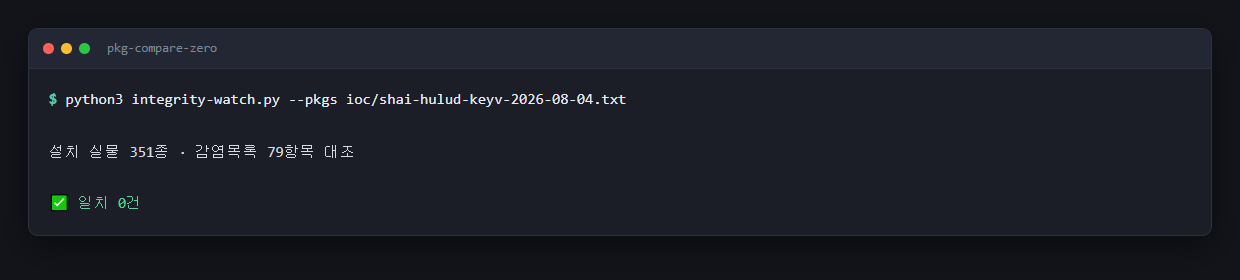
Reads: 351 installed, compared against 79 list entries — 0 matches.
For scale, arkids-viewer alone has 209 packages at the top level of its node_modules. The 351 is the name@version pairs sitting at the top level of both projects' node_modules — 347 if you collapse it to distinct names. Nested node_modules deeper in the tree aren't in that number.
The comparison is coarse in the safe direction wherever my list gives a bare name: an entry that reads just keyv flags keyv at any version, including versions that were never touched. Sixteen of the 79 entries pin a version, though, and eight of those have no bare-name twin elsewhere on the list. Those eight match on that exact version string and nothing else. The bigger limitation runs the other way. The comparison tells me nothing about the several hundred other package names that never made it onto my 79-entry list.
Check 3: the five names, one at a time
I didn't want to trust my own script for the headline packages, so I checked them by hand in both projects:
$ npm ls keyv --all
$ npm ls flat-cache --all
$ npm ls file-entry-cache --all
$ npm ls cacheable-request --all
$ npm ls got --all
All five came back not installed, in both ai-blog and arkids-viewer.
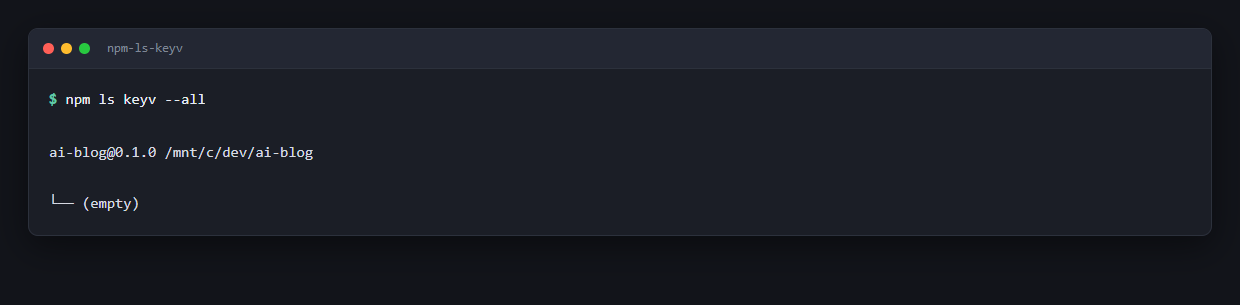
Now the part I'd rather not write. Look at my list against the first-wave list above. I checked got, which is not on it. I did not check cacheable, which is. I typed the list from memory and got it wrong by one package in each direction. My script's 79-entry comparison covers cacheable, so the gap got closed by the other check, but the manual pass I did to be thorough was less thorough than I thought it was. If you run these by hand, copy the names, don't type them.
Four sources, and three of my four numbers were wrong
This is the part I actually want you to take away, and it's the reason I stopped trusting my own zero.
When I built the indicator list on August 4, I wrote the tallies I'd found into the header of the file with the source next to each one. Then, before publishing this, I went back and opened all four sources again to quote them properly.
Three of my four numbers were wrong. Not slightly wrong. Attributed to vendors who never published them.
Here is what the sources actually say, each one a direct quote from the page, read on August 6.
Aikido, in an update stamped August 5, 13:15 CEST:
"At least 444 packages (across 1381 versions) have been compromised by the worm, with a combined total of over 2 billion monthly installs at the time of writing."
SafeDep, August 4:
"The confirmed footprint is 2,234 poisoned versions across 444 package names."
JFrog, August 4:
"400+ packages across 1700+ versions"
And the GitHub Advisory Database, queried with ecosystem:npm type:malware Shai-Hulud, returns 168 advisories.
| Source | Packages | Versions |
|---|---|---|
| Aikido (Aug 5 update) | 444 | 1,381 |
| SafeDep (Aug 4) | 444 | 2,234 |
| JFrog (Aug 4) | 400+ | 1700+ |
| GitHub Advisory DB | 168 advisories, all waves | — |
My file had said GitHub Advisory 474, Aikido 868, SafeDep 444, JFrog 428-plus. Only SafeDep survived contact with the source. I have corrected the header, and the screenshot below is the corrected version:
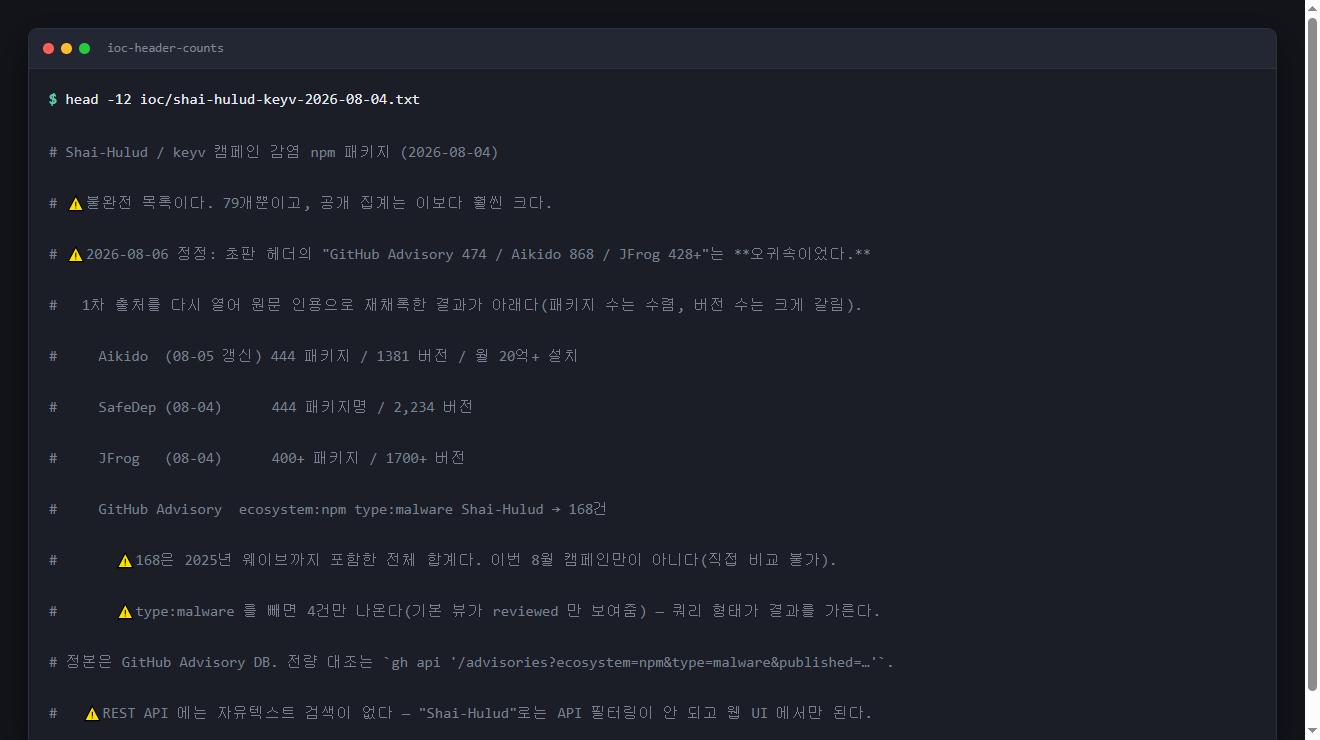
I'm leaving this in rather than quietly fixing it, because the mistake is the point. I am someone who cared enough about this to build a hash baseline and write a comparison script, and I still ended up with three misattributed numbers in my own notes within forty-eight hours. That is how fast these figures rot and drift between the source and the person repeating it.
Now look at what the corrected numbers say, because it isn't what I expected either.
On package counts, the three vendors nearly agree: 444, 444, 400-plus. That convergence is real and it's reassuring.
On version counts, they don't: 1,381 against 2,234. Same week, same incident, a 62 percent spread. SafeDep publishes its method — a per-version sweep found 1,684, and publish-event records added 550 more — which is exactly why its number is higher. Neither is lying. They counted different things.
And the GitHub Advisory number isn't comparable at all. That 168 spans every Shai-Hulud wave including 2025, not just this campaign. Filtering by publish date in the web UI doesn't change it, so I can't narrow it there.
There's a trap in that query worth knowing about. Drop type:malware and the same search returns 4 advisories, because the default view only shows reviewed ones and malware advisories fall outside it. Four instead of 168, from the same database, because of one filter.
That matters more than it looks. A checklist is only as good as the list behind it. "Am I affected?" gets answered by comparing your machine to a list of bad packages. Two people running an identical check on an identical machine can get different answers. Neither has done anything wrong. They pulled different lists, or the same list with a different filter.
Mine holds 79 entries. That's a fraction of every published tally above. The header comment calls the file incomplete, and I meant it.
What my zero does not mean
I got a clean result on both halves of the check. Here's what it's worth.
It does not mean I'm clean. It means 351 installed name@version pairs produced no hit against 79 known-bad entries. That's a partial comparison, and calling it anything stronger would be dishonest about the arithmetic.
It does not mean I was never compromised. This limitation bothers me most. I generated the hash baseline for the first time on August 5. Every hash in it is a record of what those 35 files looked like that day. If something had modified settings.json last week, my baseline would have faithfully recorded the modified version as normal and reported a match. A baseline can only tell you about changes after the moment you took it. Mine has no history, and I can't get one retroactively.
It does not cover packages outside my list. Somewhere between 349 and 789 package names, depending on whose tally you use, are on published lists that mine doesn't include. I did not compare against any of them.
It's one machine, on one day. And the campaign was being reported as active at the time of writing.
The question worth asking after a check like this is what it ruled out and what it left open. I ruled out 79 entries, 71 distinct names between them, and I now have a starting point for detecting future changes to 35 files. Those two things are the entire claim I'm making.
Run the check yourself
Here's the minimum version, without my script. Nothing below changes anything you already have: it reads files and lists, it doesn't install or remove packages, and the only thing it writes is a new baseline file of its own.
Step 1. Snapshot your agent and IDE config.
find ~/.claude ~/.vscode -type f -print0 2>/dev/null \
  | sort -z \
  | xargs -0 sha256sum > ~/config-baseline-$(date +%Y%m%d).txt

wc -l ~/config-baseline-*.txt
On WSL, add your Windows-side copy too, since that's a separate directory that separate tooling writes to:
find /mnt/c/Users/<you>/.claude -type f -print0 2>/dev/null \
  | sort -z | xargs -0 sha256sum >> ~/config-baseline-$(date +%Y%m%d).txt
Don't expect that line count to look like my 35. That find sweeps up everything under those directories — on this machine it comes back with 9,336 lines — while my 35 is a narrow list: four globs on the Linux side (settings.json, hooks/*.py, hooks/*.sh, memory-capture/**/*.py) plus hooks/*.mjs on the Windows side. Wider is fine here, it just means more noise the first time a file legitimately changes. Keep the file somewhere outside those directories.
Step 2. Verify it later. Tomorrow, next week, after any dependency install:
sha256sum -c ~/config-baseline-20260805.txt --quiet
--quiet prints only the failures, so silence is the good outcome. A file you edited yourself will also show up, which is correct behaviour and mildly annoying.
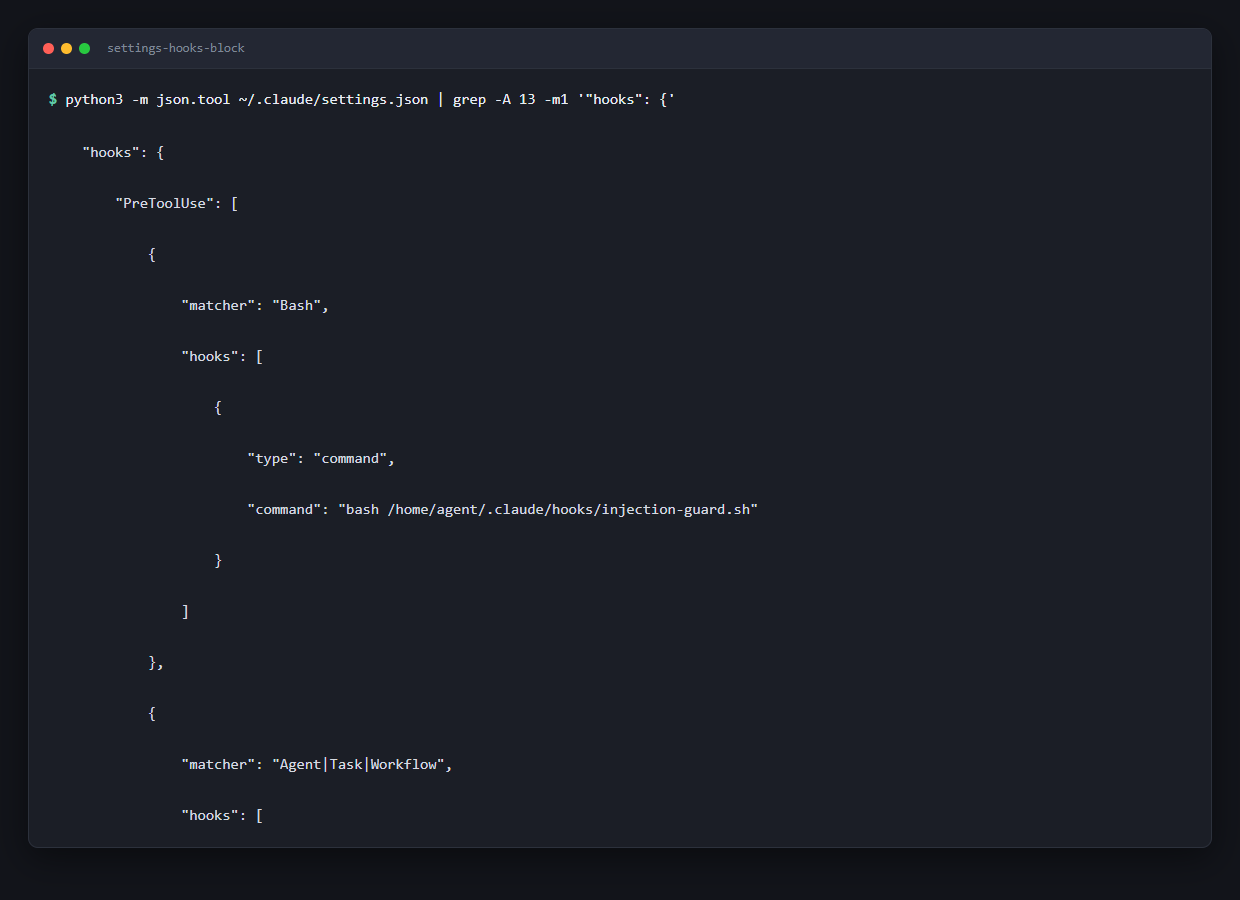
Step 3. Read your hooks with your own eyes. The hash tells you something changed. It doesn't tell you what's in there right now:
python3 -m json.tool ~/.claude/settings.json | less
find . -path '*/.vscode/tasks.json' -not -path '*/node_modules/*'
You're looking for commands you didn't put there. A tasks.json with runOn: folderOpen executes when the folder opens, without anyone clicking anything.
Step 4. Check the first-wave names. Copy these, don't type them:
npm ls keyv cacheable cacheable-request flat-cache file-entry-cache --all
Step 5. Compare your full tree against a real list. Dump your installed names first:
npm ls --all --parseable 2>/dev/null \
  | sed 's#.*/node_modules/##' \
  | sort -u > installed.txt

wc -l installed.txt
grep -F -x -f advisory-list.txt installed.txt
The first line of that dump is the project root itself, not a dependency, so the count is one high.
For advisory-list.txt, pull from the GitHub Advisory Database rather than off a blog post. Two ways in:
Web UI, which is the only place free-text search works:
https://github.com/advisories?query=ecosystem%3Anpm+type%3Amalware+Shai-Hulud
Keep type:malware in that query. Without it the same search returns 4 results instead of 168, because the default view only shows reviewed advisories.
API, if you want it scriptable. The REST endpoint has no free-text parameter, so you filter by ecosystem, type, and date instead of by campaign name:
gh api '/advisories?ecosystem=npm&type=malware&published=2026-08-04..2026-08-07&per_page=100' \
  --paginate --jq '.[].vulnerabilities[].package.name' | sort -u > advisory-list.txt

wc -l advisory-list.txt
Widen the published range and you get more names; narrow it and you get fewer. That is the whole point. Write down the query you used and the number of entries it returned, and report those next to your result. A "zero matches" with no list behind it isn't a finding yet.
| Step | What it catches | What it misses |
|---|---|---|
| Hash baseline | Any change to a config or hook file after you take it | Anything that happened before you took it |
| Read the hooks | A command sitting in your settings right now | Anything that looks plausible to you |
npm ls on five names |
The first-wave packages | Everything in the later waves |
| Full-tree comparison | Whatever is on the list you used | Whatever isn't |
If you're asking someone else to run this
Three things worth putting in the request, because they're the parts that get skipped:
- Have them read
.claude/settings.jsonand every.vscode/tasks.jsonwith their eyes, not just run a scanner. A hook is a line of config, and it looks like every other line of config. - Have them write down which list they compared against, and how many entries were on it. A report that says "zero matches" without naming the list isn't a result yet.
- Don't accept "I removed the package" as done. That's the one failure mode the persistence behaviour is built around.
If something does match
I didn't have a hit, so I have no first-hand account of cleaning one up, and I'm not going to write a remediation guide off zero experience. Two things I'd say anyway.
Don't stop at the package. The persistence detail is why. Uninstalling the dependency leaves a hook that runs at the next session. Check .claude/settings.json and every .vscode/tasks.json in the affected repo before you decide it's handled.
And treat credentials as the actual asset. The reported behaviour is self-spreading using harvested credentials, which puts every token that machine could read in scope, including ones for services with nothing to do with npm.
Where this leaves me
I ran three checks on August 5. Thirty-five config and hook files hashed against a baseline, all matching. 351 installed name@version pairs against a 79-entry list, zero matches. Five packages checked by hand in two projects, none installed, with one name mistyped in each direction on my first pass.
What I can't tell you is whether any of that was true a week ago, because August 5 is the first day the baseline exists. More scanning won't close that gap. A baseline is only useful from the day you take it, and mine starts on August 5.
What I'd change about the coverage is the confidence of the numbers. Three vendors converge on 400 to 444 packages, then split on versions: 1,381 against 2,234, a 62 percent spread on the same week's incident. The canonical database returns a count that spans every wave since 2025 and can't be narrowed by date. And I got three of my own four figures wrong copying them down. If you're building a checklist, write down which list you used, which filter you used, and how many entries came back. The count is part of the result.
FAQ
How do I check whether my Claude Code setup was affected?
Run two checks rather than one. Compare your installed packages against a published advisory list, and separately take a SHA-256 baseline of every file under your agent config directory, including .claude/settings.json and any .vscode/tasks.json. The second one matters because the reported payload writes persistence into those config files, so removing the package doesn't remove the hook. On my machine that came to 35 files, 28 of which were hooks.
How many npm packages were actually compromised?
It depends on whose count you read, and on what they were counting. Read on August 6: Aikido says 444 packages across 1,381 versions; SafeDep says 444 package names across 2,234 versions; JFrog says 400-plus packages across 1700-plus versions. The GitHub Advisory Database returns 168 advisories for ecosystem:npm type:malware Shai-Hulud, but that spans every wave including 2025, so it isn't directly comparable. The package counts nearly agree. The version counts don't. What every source does agree on is the first wave: keyv@6.0.0, cacheable@2.5.1, cacheable-request@13.0.20, flat-cache@6.1.24, and file-entry-cache@11.1.6.
Does uninstalling the package fix it?
Not on its own, going by the reported behaviour. The payload is described as writing persistence into IDE and agent configuration files, specifically .claude/settings.json and .vscode/tasks.json. A hook left in a settings file runs again at the next session regardless of whether the original package is still installed, which is why a package-list check alone can report clean on a machine that isn't.
My scan found zero matches. Am I clean?
You know that the names on your list weren't found. Mine held 79 entries and the published tallies run from 400-plus to 444 packages, so my comparison covered a fraction of the known names. A hash baseline has a second limit: it only detects changes made after you created it. I generated mine for the first time on August 5, so it tells me nothing about the state of those files before that morning.
What triggers the payload?
Aikido's report describes it activating "the next time any developer opens the repository in VS Code or starts a Claude Code session inside it". That's an opening-the-project event rather than an install-time one, which is what makes it relevant to anyone running an AI coding agent day to day.