Note: No affiliate links, no sponsors. I tested Gamma myself on a real deck — every screenshot here is mine, and I flag what it does badly too. A review that only cheers is just an ad.
Updated August 16, 2026. I logged back into the same free account 47 days after the original test and re-checked the pricing, the plan limits, my credit balance, and what the export screen actually says. Three things had changed and one thing I had never looked at turned out to matter more than anything else in this review. Those are marked below.
I keep losing afternoons to slide design. The content takes thirty minutes. Then I burn two hours nudging text boxes.
So I gave Gamma a real job: one prompt, a full ten-slide deck, on the free plan. Not a toy demo — an actual deck I'd be willing to present.
What Gamma is
Gamma is an AI presentation maker. You give it a topic or an outline, and it generates a full deck right in your browser. Text, layout, and design all come with it. You edit from there and export to PDF, PowerPoint (.pptx), PNG, or Google Slides. Prompt in, formatted deck out, no template wrestling.
If your only reference is PowerPoint, the shift is that you're editing a finished draft instead of staring at a blank slide.
How I actually tested it
Here's the real run, start to finish.
The prompt I gave it was one line, but specific:
A practical guide to AI workflow automation for small teams — 10 slides,
professional tone: the problem, 3 tools, rough cost, and a 30-day rollout
I set it to 10 cards, English, a clean theme, and hit generate.
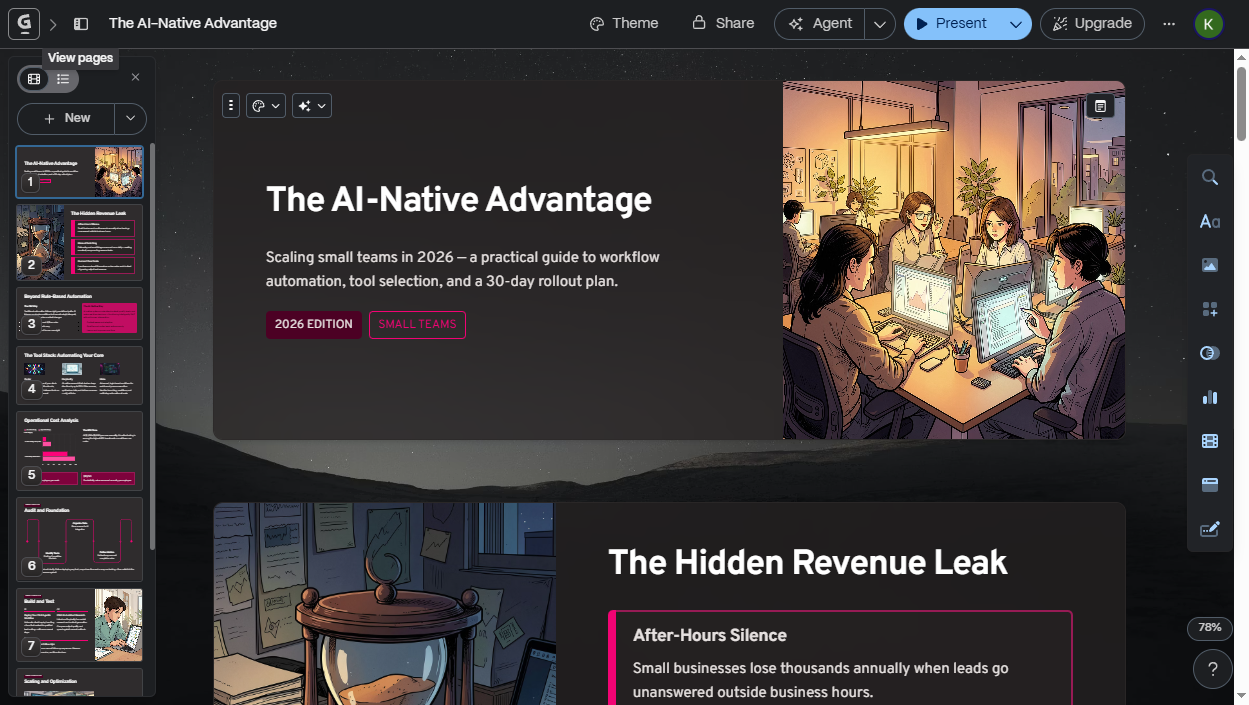
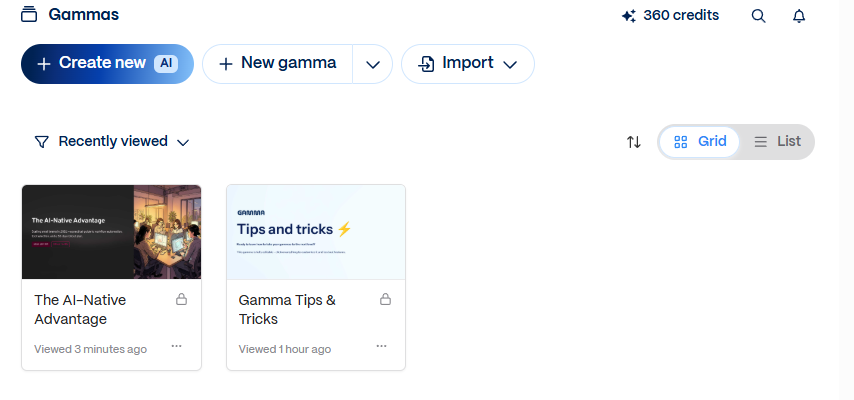
About thirty seconds later I had a full deck it titled "The AI-Native Advantage." Gamma handed back more than an outline. The deck had its own illustrations, a cost chart, and a logical arc across ten designed slides. It opened on the problem of leads going unanswered after hours, then moved through rule-based vs. AI-native automation, a three-tool stack, a cost breakdown, and an ROI slide.
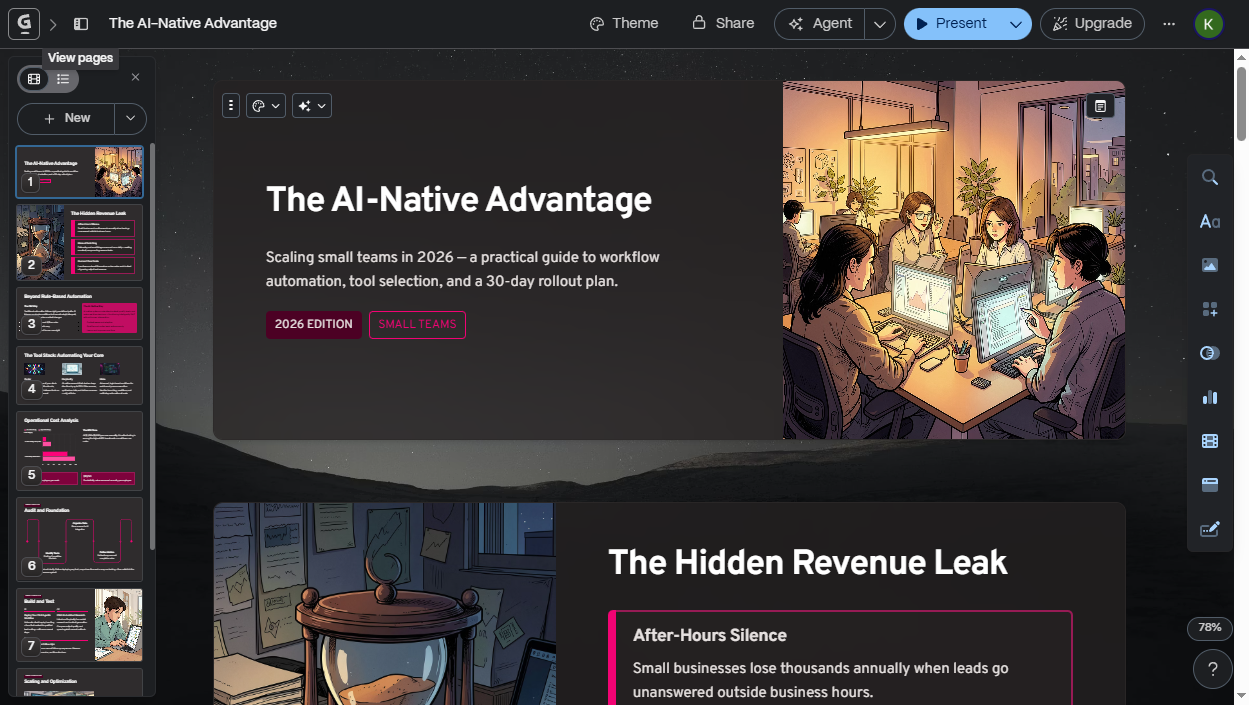
The first time it rendered I actually paused. Not because it was finished, but because it was usable. A real first draft I could edit, instead of a blank canvas I had to fill.
What it does well
- The design is genuinely good out of the box. Spacing, type, color, and the auto-generated illustrations all looked like the work of someone who knows layout. The design alone is why I'd keep the tab open.
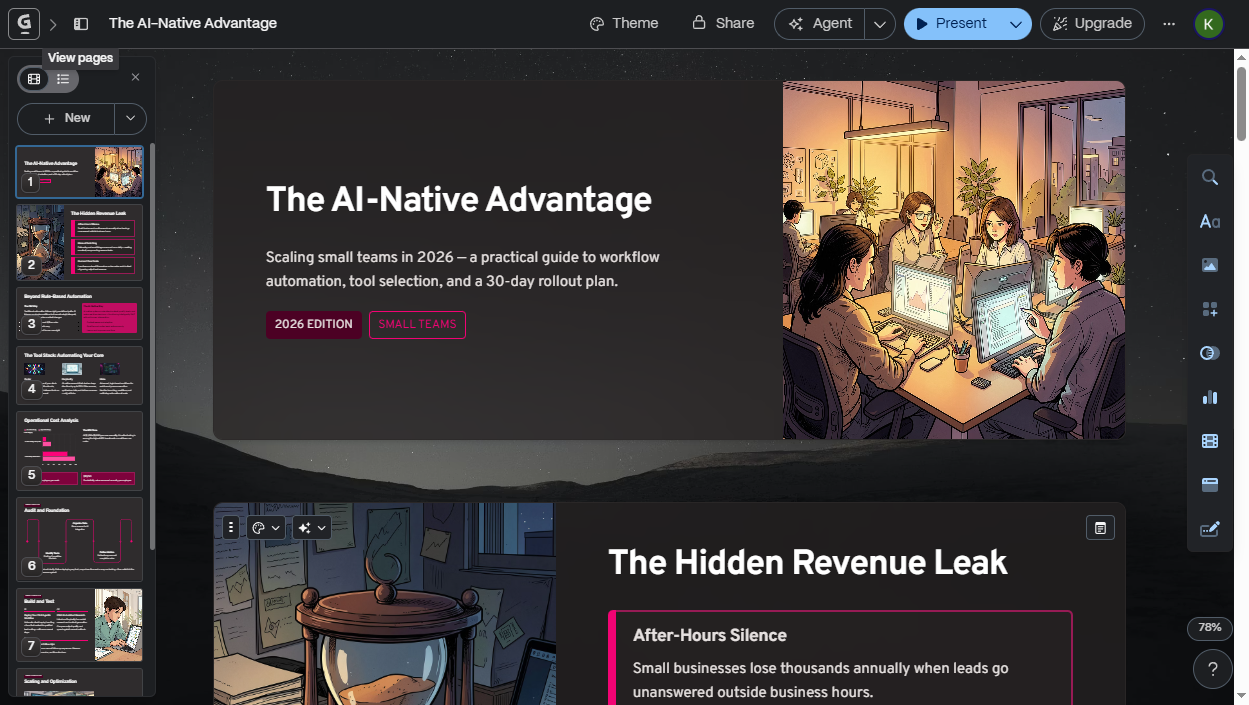
- Prompt to draft is fast. Roughly thirty seconds from hitting generate to a deck I could read and present. That part used to eat my afternoon.
- The structure made sense. From that one line it built a coherent arc instead of just a bulleted dump.
- Export is real. PDF, .pptx, PNG, and Google Slides. The .pptx matters if your company refuses anything that isn't a PowerPoint file. How well that .pptx holds together is its own question, and it has a section below.
Where it falls short
Gamma bit me on this front, and it's the real reason you can't ship its output blind.
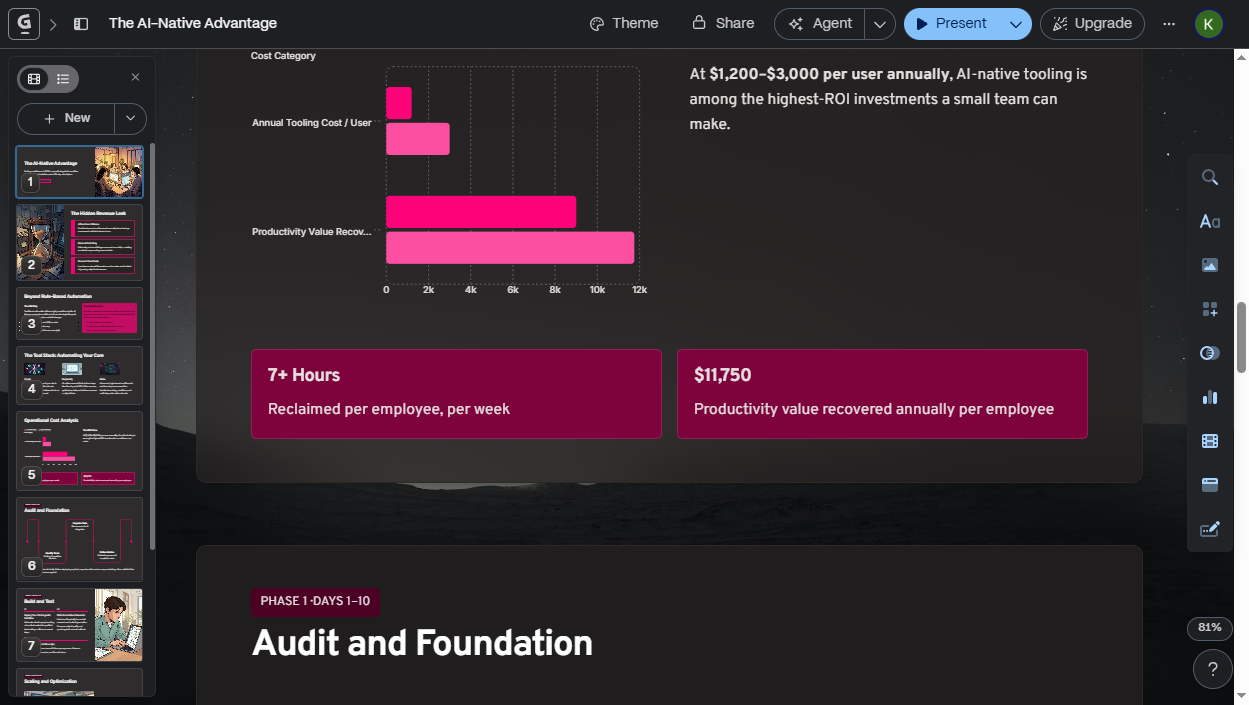
- It fills data gaps with confident-looking numbers. My prompt named a topic but gave no figures of my own. So for the cost and ROI slides, Gamma generated its own: a "$11,750" tile labeled "Productivity value recovered annually per employee," and a "7+ Hours" tile labeled "Reclaimed per employee, per week." That's expected when you hand an AI a topic and no data, but nothing on the slide flags those figures as invented. They look exactly as authoritative as real ones. Feed it your actual numbers, and treat anything it generates as a placeholder to replace rather than a fact. Present its figures unchecked and it's your own credibility on the line, not Gamma's.
- The illustrations are generic. The auto-picked art is pleasant but interchangeable, all soft-lit office scenes. Fine for an internal deck, though not memorable for anything client-facing. I'd swap them.
- The free credits run out faster than you'd think. You start with 400 credits, and my one deck cost 40. At that rate it's roughly ten decks before AI generation stops, though credit cost varies with deck size, images, and regenerations. Enough to test it properly; not enough to make decks weekly for free.
- Fine layout control is weaker than PowerPoint. It's built for a fast, good-looking draft instead of pixel-exact corporate templates.
The limits are real. I'd still use it, because for a designed first draft in thirty seconds, nothing else gets me there as fast. I just never trust its text or numbers without checking.
The export warning I missed the first time
Added August 16, 2026.
When I wrote the first version of this review I checked that the export formats existed and moved on. Coming back to the same deck, I actually opened the export panel and read it. Gamma tells you something there that no review I have seen mentions:
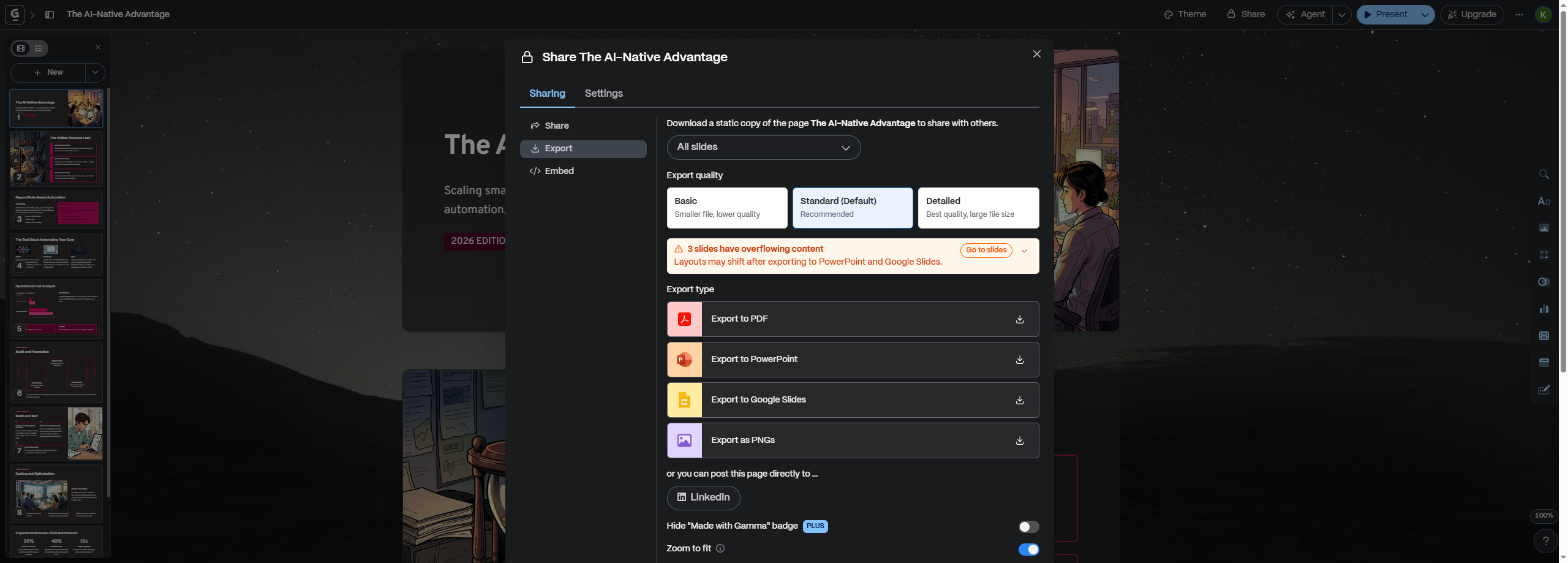 The export panel, August 16, 2026. The warning is Gamma's own.
"3 slides have overflowing content. Layouts may shift after exporting to PowerPoint and Google Slides."
That is 3 of my 10 slides, on a deck Gamma generated itself, from its own prompt, at its own default settings. I did not overfill anything, and I never touched the text.
This reframes the export story. "Exports to PowerPoint" is true, and every write-up stops there. What it means in practice is that the file opens, and some of your slides will not look like what you approved on screen. Gamma is at least honest enough to say so before you click, with a Go to slides button to jump to the offenders.
The panel has two other things worth knowing:
- Export quality is a choice: Basic (smaller file, lower quality), Standard (the default), or Detailed (best quality, large file). Nothing tells you this until you're in the panel.
- Removing the "Made with Gamma" badge is a paid feature. The toggle is right there, greyed behind a PLUS tag. On free, the badge ships with your deck.
What I could not test: I tried to download the .pptx and open it side by side with the original, and the file never landed. My browser runs under remote automation, and the download never came through. I do not know whether that is Gamma's doing or my setup's. So I can report what Gamma warns will happen, and I am not going to tell you how bad the shift actually looks, because I have not seen it. If you export a Gamma deck to PowerPoint, check those flagged slides first.
What changed in 47 days
Added August 16, 2026.
AI tools move, so I re-checked the pricing page on August 16 rather than trusting my June notes. The prices had not moved at all. The limits had.
| June 30, 2026 | August 16, 2026 | |
|---|---|---|
| Free — slides per prompt | up to 10 | up to 10 (unchanged) |
| Plus — slides per prompt | up to 20 | up to 100 |
| Free — import | not listed | Import from PDF & PPTX |
| Pro — extras | custom branding, API, analytics | + publish up to 10 custom domains, workspace templates |
| Ultra — extras | most advanced models | + publish up to 100 custom domains, early access |
| Price of every plan | $9 / $18 / $90 | unchanged |
| Annual discount | "Save up to 28%" | unchanged |
The Plus change is the one that matters. A five-fold jump in how much deck you can generate per prompt, at the same $9, quietly turns the cheapest paid tier from "a bit more than free" into the tier that actually handles a long deck in one shot. If you read a Gamma review written before August and it told you Plus caps out at 20, that number is stale.
It also means the terminology moved: Gamma's pricing page now says slides where it used to say cards.
Pricing
Re-checked on the live pricing page August 16, 2026. The page advertises "Save up to 28%" for annual billing; the rates below are the annual-billed price per seat (paying monthly costs more).
| Plan | Price | What you actually get |
|---|---|---|
| Free | $0 | 400 credits at signup (≈10 decks), up to 10 slides per prompt, import from PDF & PPTX, export to PDF/PPTX/PNG/Google Slides, Gamma badge on shares. No card required. |
| Plus | $9 / seat / mo ($108/yr) | 1,000 monthly credits, up to 100 slides per prompt, removes Gamma branding, advanced AI image models |
| Pro | $18 / seat / mo ($216/yr) | 4,000 monthly credits, premium image models, custom branding & fonts, detailed analytics, publish up to 10 custom domains, API access, workspace templates |
| Ultra | $90 / seat / mo ($1,080/yr) | 20,000 monthly credits, most advanced text/image/video models, publish up to 100 custom domains, early access |
The free 400 credits are a one-time pool, not monthly. I can now say that as an observation rather than a reading of the terms: I spent 40 credits on June 30, and when I logged back into the same account on August 16 the balance was still 360. Forty-seven days, no refill.
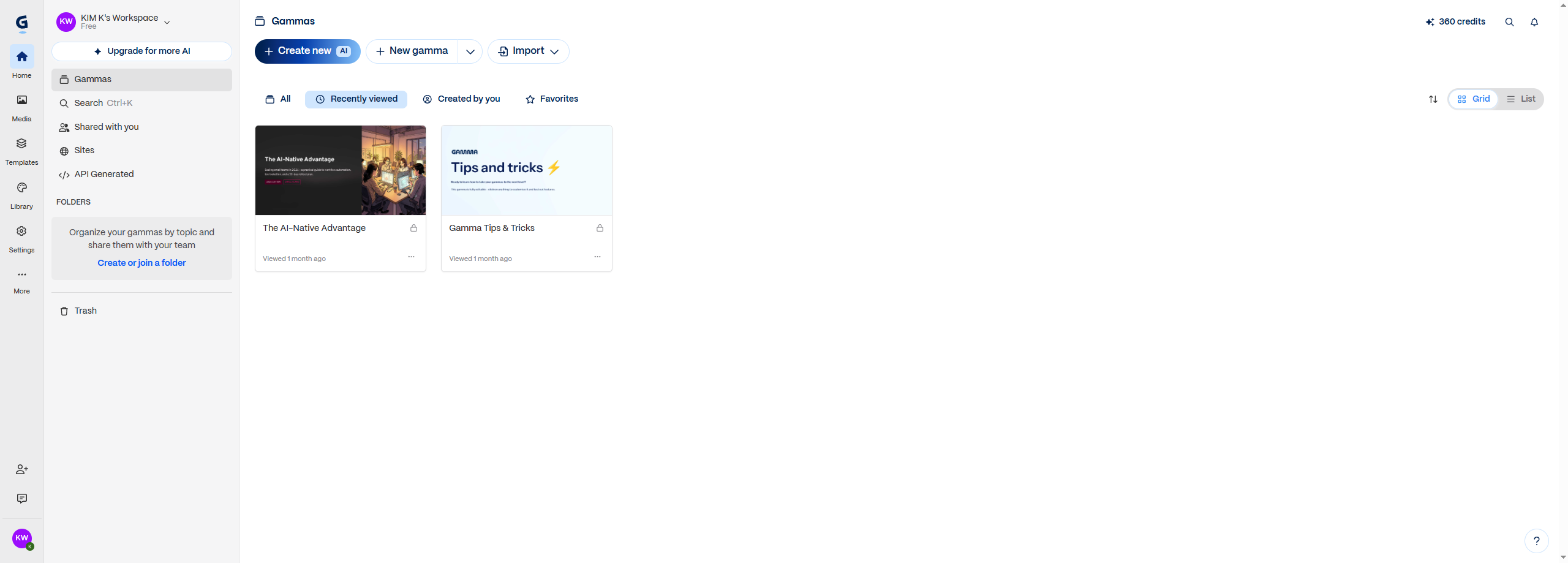 Same account, 47 days later. Still 360 credits, and the free pool does not refill.
Once they're gone you can still edit, present, and export what you made; only new AI generation stops.
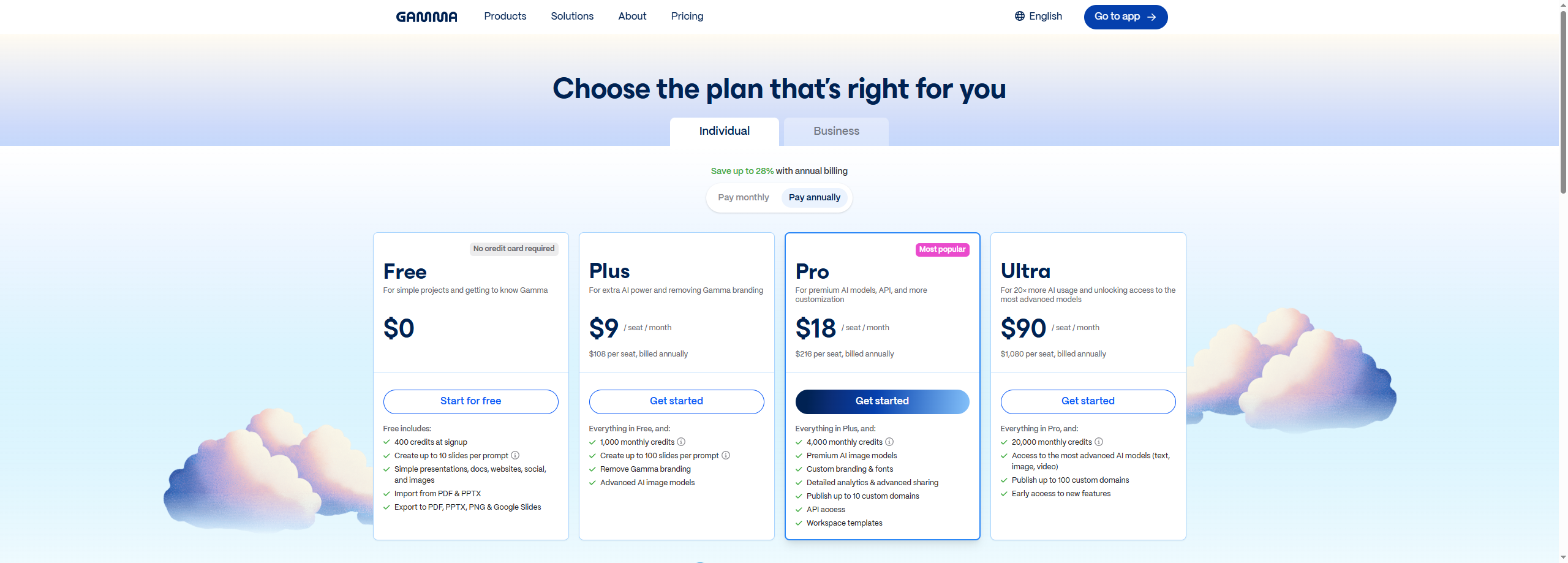 Pricing page, re-checked August 16, 2026.
Prices as of August 16, 2026. Check the Gamma pricing page for current numbers.
Who it's for, and who should skip it
Get it if you: make decks often, aren't a designer, or just want a strong first draft in seconds instead of a blank PowerPoint file.
Skip it if you: need pixel-precise branded templates, only build one deck a year, or work fully offline.
Verdict
For one job, turning a one-line prompt into a designed first draft faster than I can open PowerPoint, Gamma earns its place. The free tier (about ten decks) is genuinely enough to decide for yourself before paying a cent. Just treat what it writes as a draft, not a fact: fact-check the numbers and swap the stock art before anything leaves the room.
Coming back after seven weeks sharpened two lines of it. The free credits really are a one-time pool, and I have the unchanged balance to prove it. And "exports to PowerPoint" promises less than it sounds like, because Gamma's own export screen flagged 3 of my 10 slides as likely to shift. I'd still open the tool tomorrow. I'd just open the export panel before sending anything, and replace every number it made up.
If that fits how you work, you can try Gamma's free plan here: Try Gamma free. No card to start, and you upgrade only if you start hitting the credit wall.
FAQ
How many decks can you make on Gamma's free plan?
About ten. You get 400 credits at signup and each generated deck costs around 40 (mine took my balance from 400 to 360). The credits are a one-time pool, not monthly, so once they're gone you upgrade or earn more.
Can Gamma export to PowerPoint (.pptx)?
Yes — PDF, PowerPoint (.pptx), PNG, and Google Slides. It works even if your company requires a .pptx file. Read the export panel before you click, though: on my ten-slide deck Gamma itself warned that three slides had overflowing content and that layouts may shift in PowerPoint and Google Slides.
Does a Gamma deck look the same after exporting to PowerPoint?
Not necessarily, and Gamma says so. Its export panel flags slides with overflowing content and warns that layouts may shift in PowerPoint and Google Slides — three of my ten did, on a deck Gamma generated itself at default settings. There is a "Go to slides" button to jump straight to the flagged ones. Check those before you send the file anywhere.
Do Gamma's free credits refill every month?
No. They are a one-time pool given at signup. I spent 40 of my 400 on June 30, 2026 and logged back into the same account on August 16, and the balance was still 360, forty-seven days later, with no refill. Paid plans are the ones with monthly credits.
How many slides can Gamma generate in one prompt?
On the free plan, up to 10 per prompt. On Plus ($9 per seat per month, billed annually) it is up to 100 as of August 16, 2026, though that limit was 20 when I first tested in June, so older reviews will tell you a smaller number.
Is Gamma's output accurate?
Treat it as a first draft rather than a source. My prompt gave it no figures, so it generated its own — specific dollar amounts and percentages with no citation — to fill the slides. Treat any number it makes as a placeholder and fact-check it before you present.
Is the free plan enough to try it?
Yes. 400 credits (~10 decks) is plenty to generate a real deck, edit it, and export it, so you can judge the tool before paying. No credit card required to start.