Note: No affiliate links and no sponsor. This ran on a free Gemini account, the kind with an Upgrade button in the corner and Flash as the model. The three source photographs are public domain, verified through the Wikimedia API rather than assumed, so you can repeat this with the same files. Every screenshot came off my own screen.
Colorizing an old family photograph is one of the first things people try an AI image tool for. So I ran it properly: three public-domain black-and-white photographs, one prompt, one free account, and a record of what came back.
The prompt was the same every time, written to avoid the usual failure where the tool quietly redraws the person:
"Colorize this black-and-white photograph. Keep the person, the expression, the clothing shapes, the composition and the grain exactly as they are: do not restore, retouch, sharpen or redraw anything. Only add plausible, natural colour. Skin tones should look realistic for the period and the lighting. Do not invent new objects and do not change the framing."
The two that worked
Albert Einstein, 1921. The original is a studio photograph in front of a blackboard.
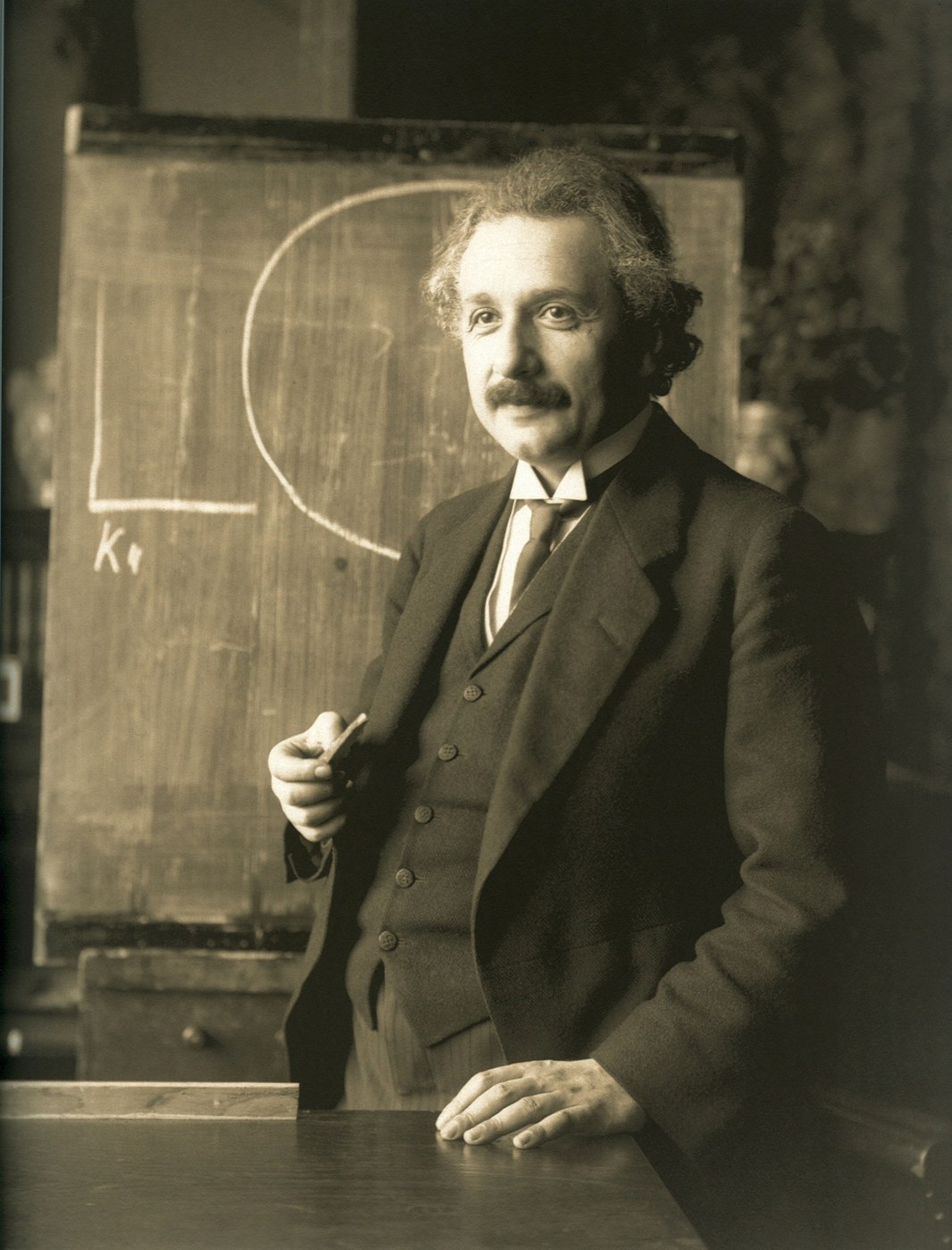 Before. Public domain, via Wikimedia Commons.
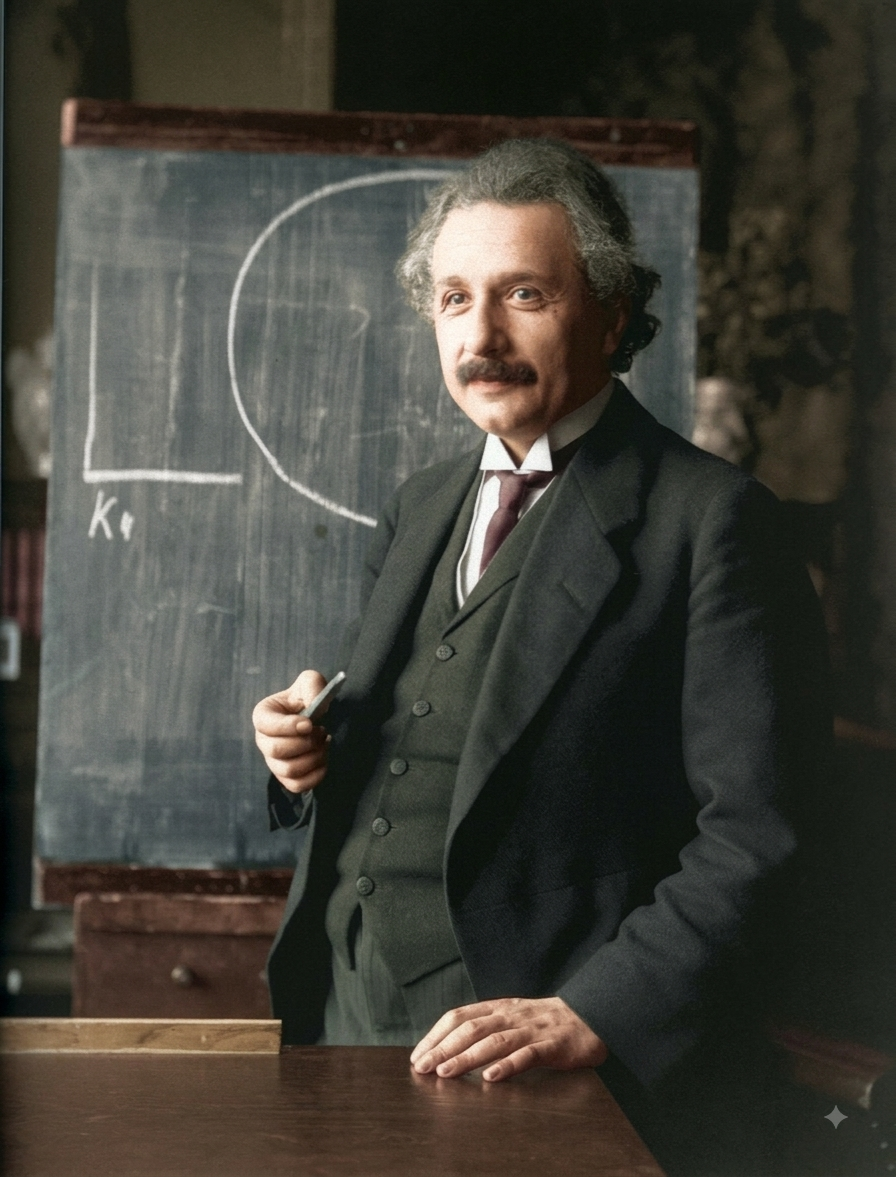 After, from the free tier. Note the sparkle in the bottom right corner.
The suit reads as dark olive-grey, the tie picks up a deep red, the chalkboard turns slate blue, and the wood of the desk warms up. The face is recognisably the same face, which is the part that usually goes wrong.
The Hindenburg, 1937. A disaster photograph with fire, smoke, a mooring mast and small figures on the ground.
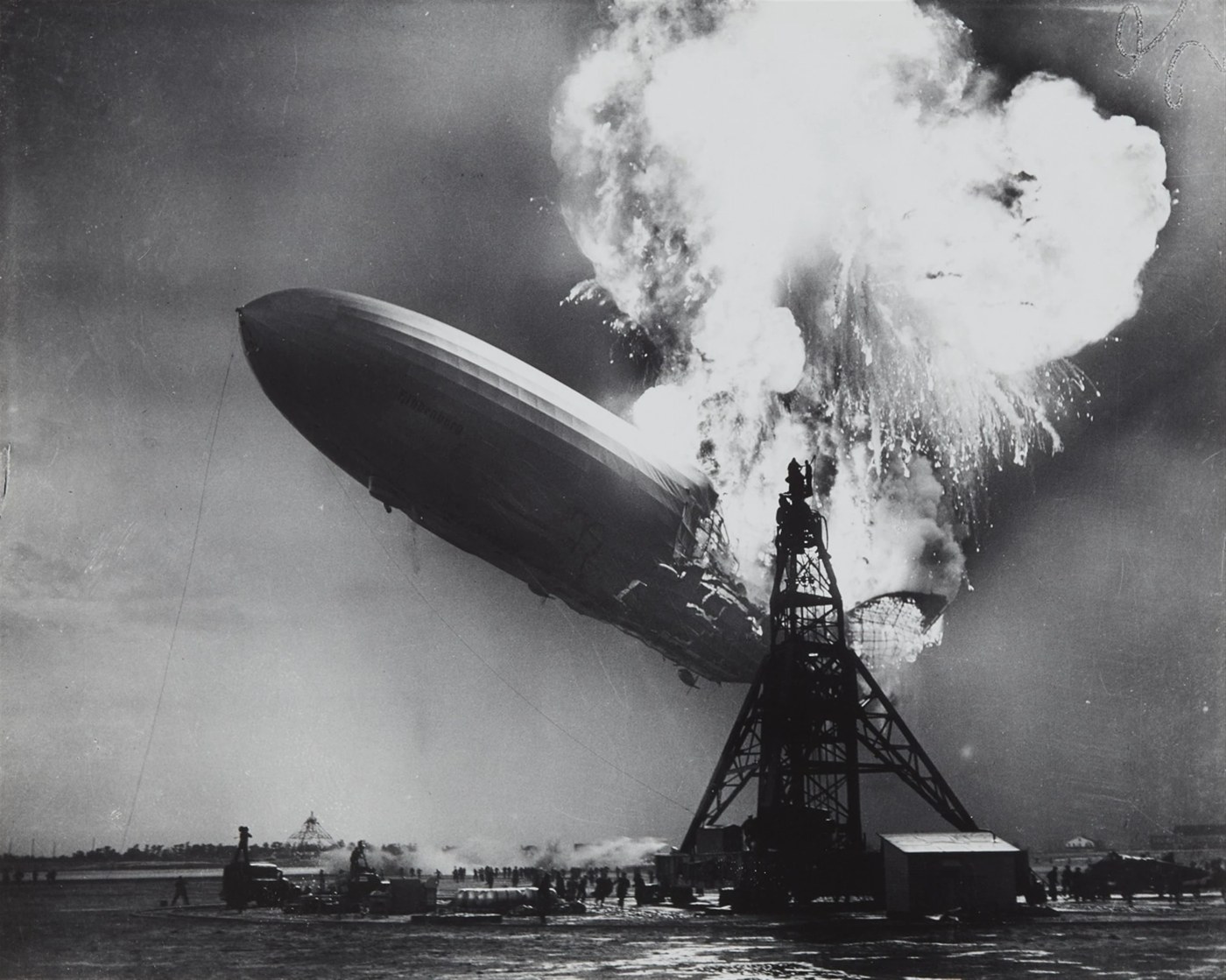 Before. Public domain, via Wikimedia Commons.
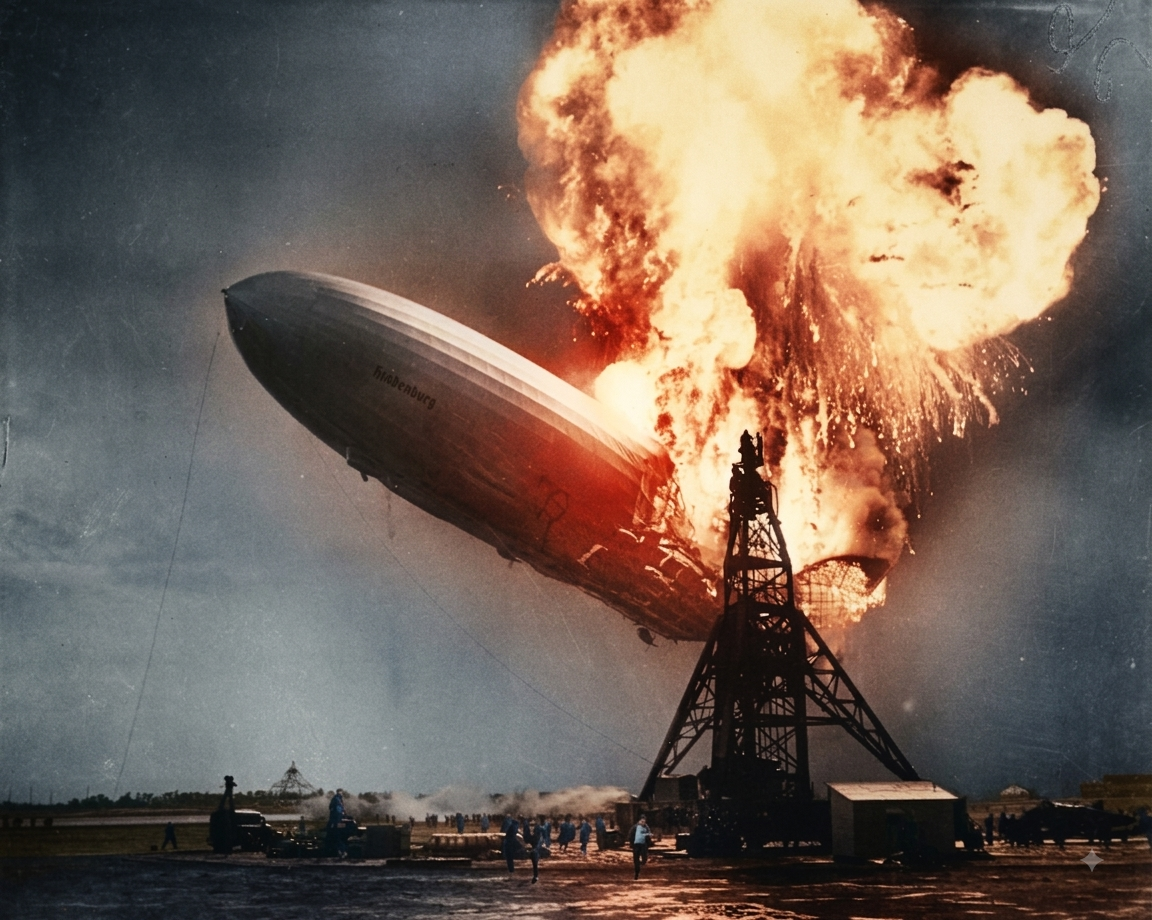 After, from the free tier.
This one is the more impressive of the two, and also the one where the model had the most freedom to invent. The flames are plausible. The ground crew have been given blue clothing that no one can verify. That is worth saying out loud: colorization is a guess with a confident finish, and the more detail a photograph has, the more guesses are being made on your behalf.
The one that came back refused
The third was Dorothea Lange's Migrant Mother, 1936. Same prompt, same account, same session pattern.
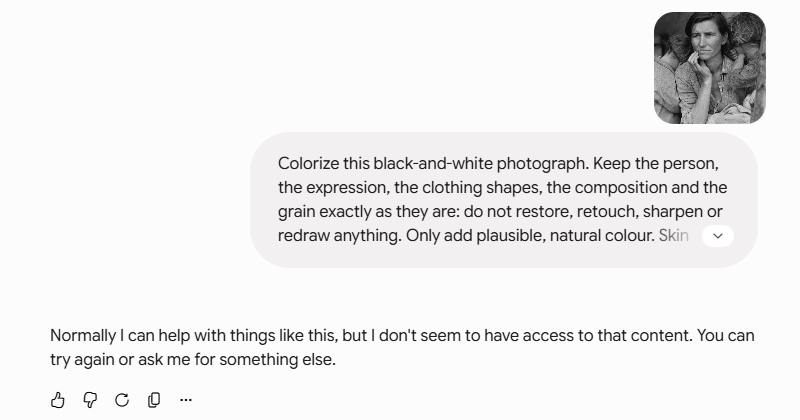 The reply, and the auto-generated chat title in the sidebar.
The full text of the reply:
"Normally I can help with things like this, but I don't seem to have access to that content. You can try again or ask me for something else."
Gemini titled the conversation "Colorization Request Denied" by itself. I took the "you can try again" at face value and ran the whole thing a second time from a fresh chat. Same refusal, same wording, and a second identically titled conversation in the sidebar.
I do not know why. The message does not give a reason, and the photograph is public domain and no more sensitive than the other two. Two attempts is not a large sample, and I am not going to turn it into a theory about famous photographs or identifiable faces, because the Einstein portrait is both of those and it went through. What I can report is the fact: two out of three, and the refusal reproduced.
That gap matters more than the successes. Write-ups of tools like this tend to show the picture that worked.
What the free tier costs you
Two things showed up in the files themselves.
A watermark. Both successful outputs carry Google's sparkle mark in the bottom right corner. It is small and it is not going anywhere without cropping or cloning.
Pixels. The returns are much smaller than what went in:
| Photograph | Original | Returned |
|---|---|---|
| Einstein 1921 | 2523 × 3313 | 896 × 1177 |
| Hindenburg 1937 | 2560 × 2046 | 1152 × 920 |
The Einstein file came back at about 13 percent of the original pixel count. For a screen, fine. For anything printed at size, not fine.
What free will not do at all
While I had the account open I asked the same free tier for a short video clip. The answer took one line:
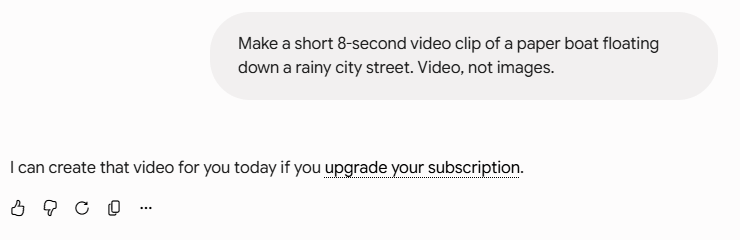 The free tier's answer to a video request.
"I can create that video for you today if you upgrade your subscription."
So on this account, today: images yes, video no. Worth knowing before you plan anything that needs motion.
What I did not test
One account, one day, three photographs, one prompt. I did not try other phrasings on the refused image, I did not test how many images the free tier allows per day (I used around six calls and never hit a wall), and I did not compare against paid Gemini or against other tools. If you repeat this and Migrant Mother goes through for you, that is worth knowing, and it would mean the refusal is narrower than it looks from here.
If you want to try it
- Use a photograph you are allowed to publish. Wikimedia's API tells you the licence field directly, which beats guessing from a search result.
- Put the restriction in the prompt. "Do not restore, retouch, sharpen or redraw" is what keeps the face from drifting.
- Check the corner of the output before you use it anywhere.
- Check the pixel dimensions too. The tool does not warn you that it shrank your photograph.