Note: No affiliate links, no sponsor. This is one Korean free-tier account, checked on one day. Every screenshot came off my own screen. Where the interface is Korean I say so and give the English wording from the same screen, which I captured by forcing the browser locale to
en-USon the same account.
OpenAI updated its ads page on August 11:
"Update on August 11, 2026: ChatGPT Ads has now launched in the United Kingdom, Mexico, Brazil, Japan, and South Korea. We’re continuing to expand to more markets this year."
I have a Korean free account. The same page says who gets the ads:
"The test will be for logged-in adult users on the Free and Go subscription tiers. Plus, Pro, Business, Enterprise, and Education tiers will not have ads."
So I qualify. I checked the account's plan through the session endpoint rather than trusting the badge in the corner, and it returned planType: "free". On August 12, roughly a day after the announcement, I went looking for the ads.
What I actually checked
Four things, in this order:
- A brand new chat, freshly loaded, before typing anything.
- Every section of Settings. All fifteen of them, one at a time, scanning each pane's text for the words ad, ads, sponsored, and the Korean 광고.
- Two commercial questions, the kind an advertiser would want to sit next to:
best noise cancelling headphones under $200andbest running shoes under $150. - The ad settings themselves, once I found them.
I read the toggle states out of the DOM (aria-checked) instead of judging them by eye, because a blue switch and a grey switch are easy to mix up in a screenshot and I did not want to guess.
No ads appeared
Not on the empty chat screen. Not on either shopping question. I scanned the rendered page for Sponsored, Promoted, 광고, and for any element whose test id or aria-label contained sponsor or advert. Zero hits, both times.
That is worth stating precisely, because OpenAI's page tells you what an ad would look like if one showed up:
"When you see an ad, they are always clearly labeled as sponsored and visually separated from the organic answer."
By that rule, nothing I saw was an ad.
But the ad controls are already installed
They are not in Personalization, which is where I looked first and where I would have wrongly concluded there was nothing. They are one level down: Settings → Data controls → Ads controls.
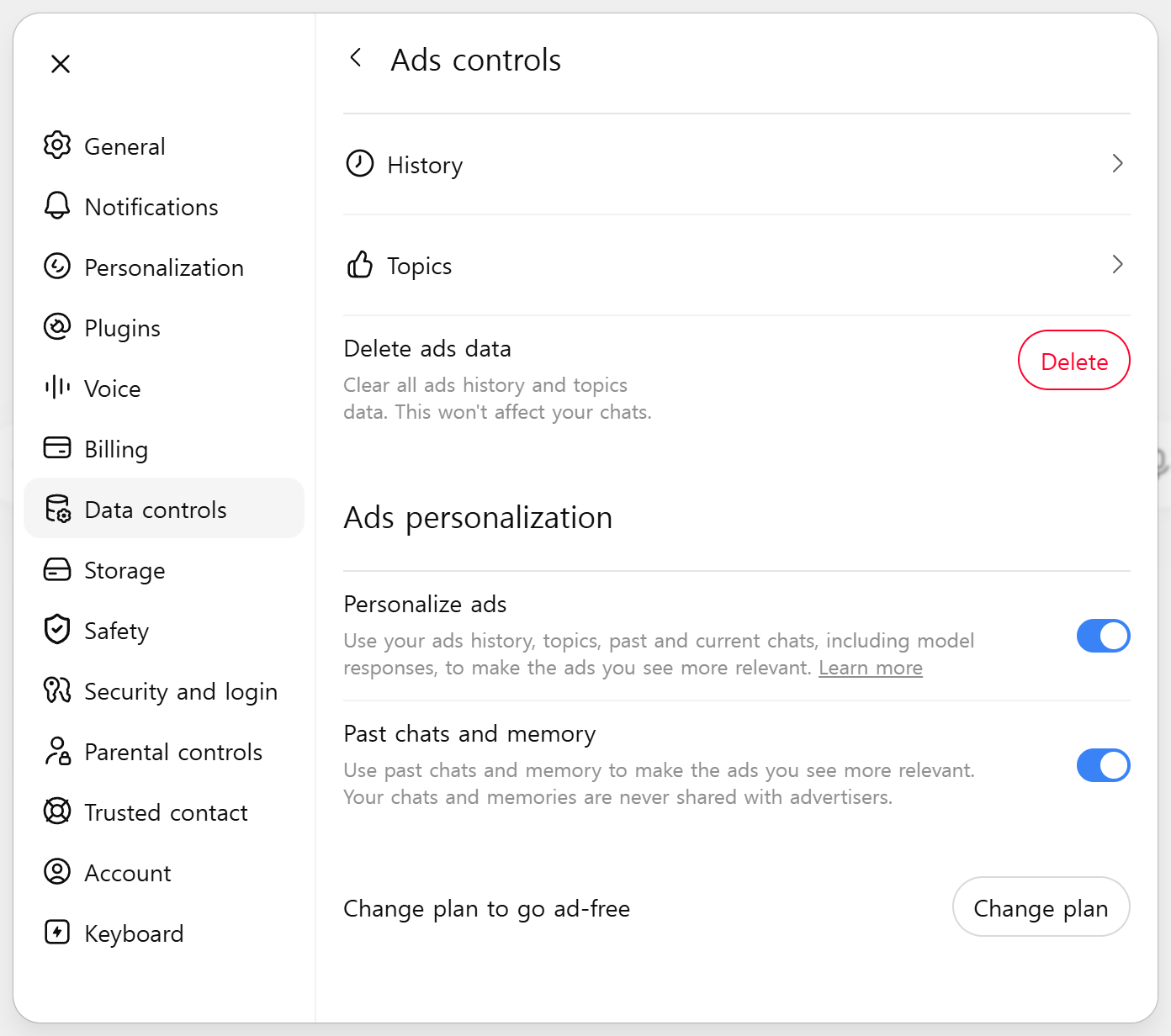 Ads controls on my free account, with the interface forced to English. Both switches under Ads personalization were on when I arrived.
Two switches, both on by default. I did not turn them on. The wording is the interface's own:
"Personalize ads — Use your ads history, topics, past and current chats, including model responses, to make the ads you see more relevant."
"Past chats and memory — Use past chats and memory to make the ads you see more relevant. Your chats and memories are never shared with advertisers."
The second one is the one I would want people to read twice. Memory, the feature that carries what you told ChatGPT about your job and your health and your family across conversations, is wired into ad relevance by default. The sentence that follows it is a promise about sharing, not about use. Advertisers do not receive your chats. The targeting still runs on them.
This is not a contradiction of anything OpenAI published. The same page describes the mechanism plainly:
"During the test, we decide which ad to show by matching ads submitted by advertisers with the topic of your conversation, your past chats, and past interactions with ads."
It is just easier to skim past in a blog post than it is to see sitting in your own account with the switch already flipped.
Here is the same panel as a Korean account actually renders it, since that is the version a Korean user will meet:
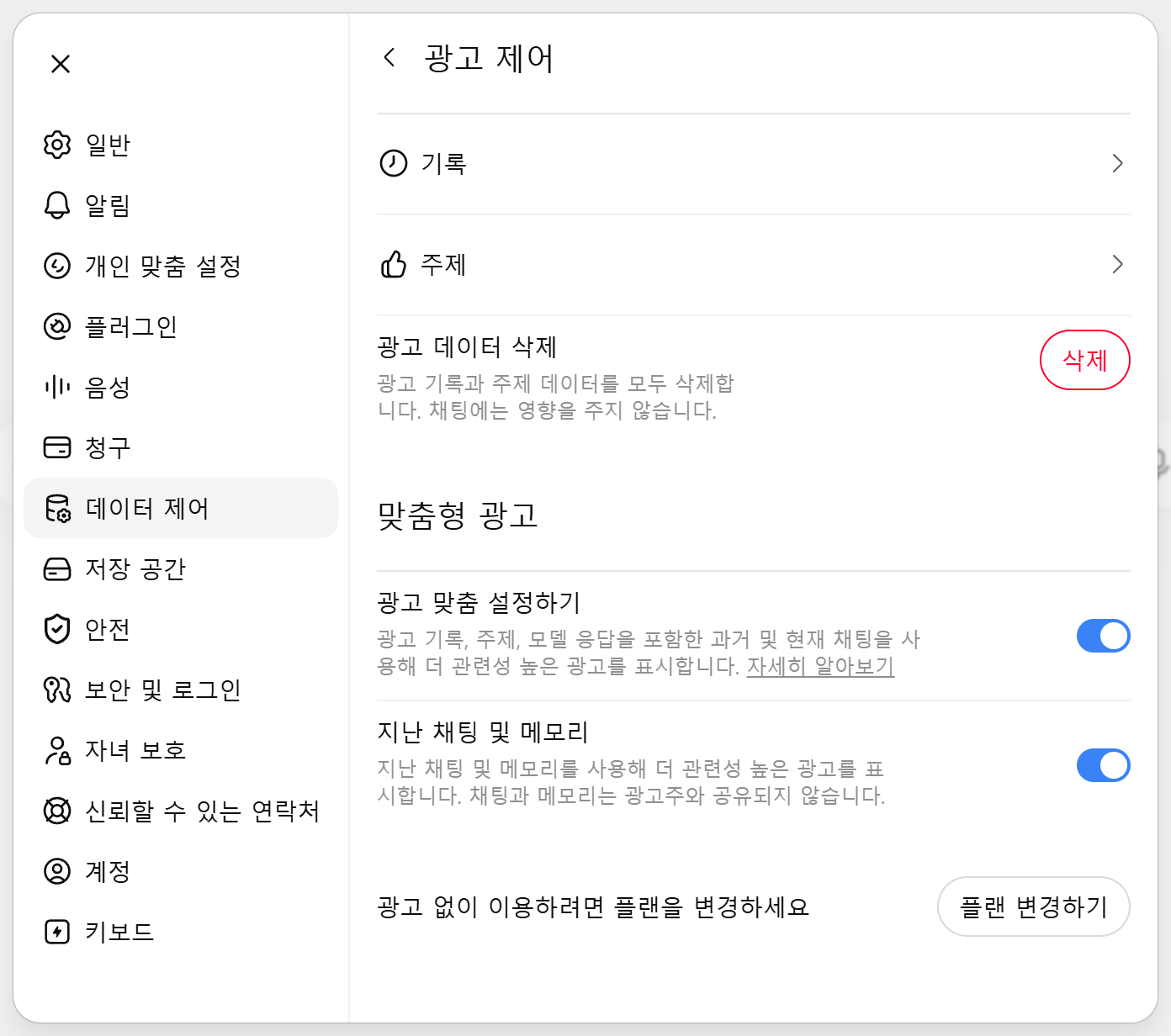 The same screen in Korean. 맞춤형 광고 is "Ads personalization", and 광고 없이 이용하려면 플랜을 변경하세요 is "Change plan to go ad-free".
The profile has not started yet
Under Topics, the account had nothing:
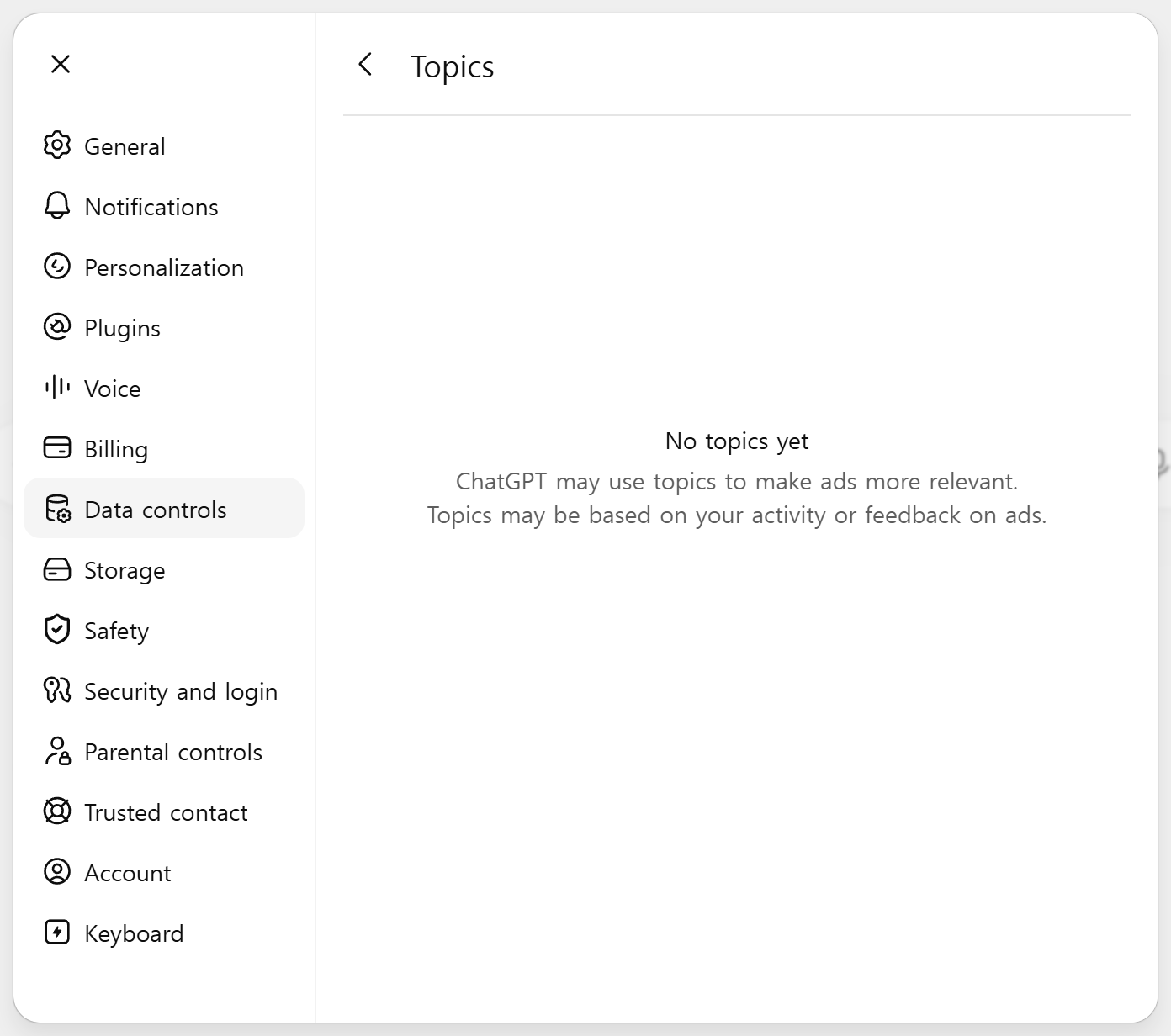 Topics, on the same account. Empty.
"No topics yet — ChatGPT may use topics to make ads more relevant. Topics may be based on your activity or feedback on ads."
So the switches are on, the machinery is present, and the ad profile is still empty. That combination is what "launched" looks like from inside a free account on day one, at least on this one.
The opt-out I could not find
OpenAI's page offers free users a way out that does not involve paying:
"If you prefer not to see ads, you can upgrade to our Plus or Pro plans, or opt out of ads in the Free tier in exchange for fewer daily free messages."
Three options in that sentence: upgrade to Plus, upgrade to Pro, or stay free and accept fewer messages.
The Ads controls panel offers one:
"Change plan to go ad-free" [Change plan]
There is no switch that turns ads off in exchange for fewer messages. I swept all fifteen Settings sections looking for one. Nothing ad-related turned up outside the Ads controls panel itself. Inside that panel, the controls are History, Topics, Delete ads data, the two personalization switches, and the Change plan button. Nothing else.
I want to be careful about what that means. I did not find it. That is not the same as it not existing. A rollout can put the interface in place before the setting, or gate the setting on ads actually being served to you, and mine were not. Stated tightly, on August 12, on a Korean free account with no ads being shown, the documented free-tier opt-out was not present in the interface, and the only path to an ad-free ChatGPT the interface showed me was a paid plan.
There is a smaller finding sitting next to it. The Korean translation of the announcement page has not caught up. It carries updates dated March 26 and May 7, and the May 7 line still describes Korea as somewhere ads will arrive "in the coming weeks". The August 11 line announcing the actual launch appears only in the English version.
What does appear on a shopping question
Both commercial questions returned a product carousel. Photos, won prices, star ratings.
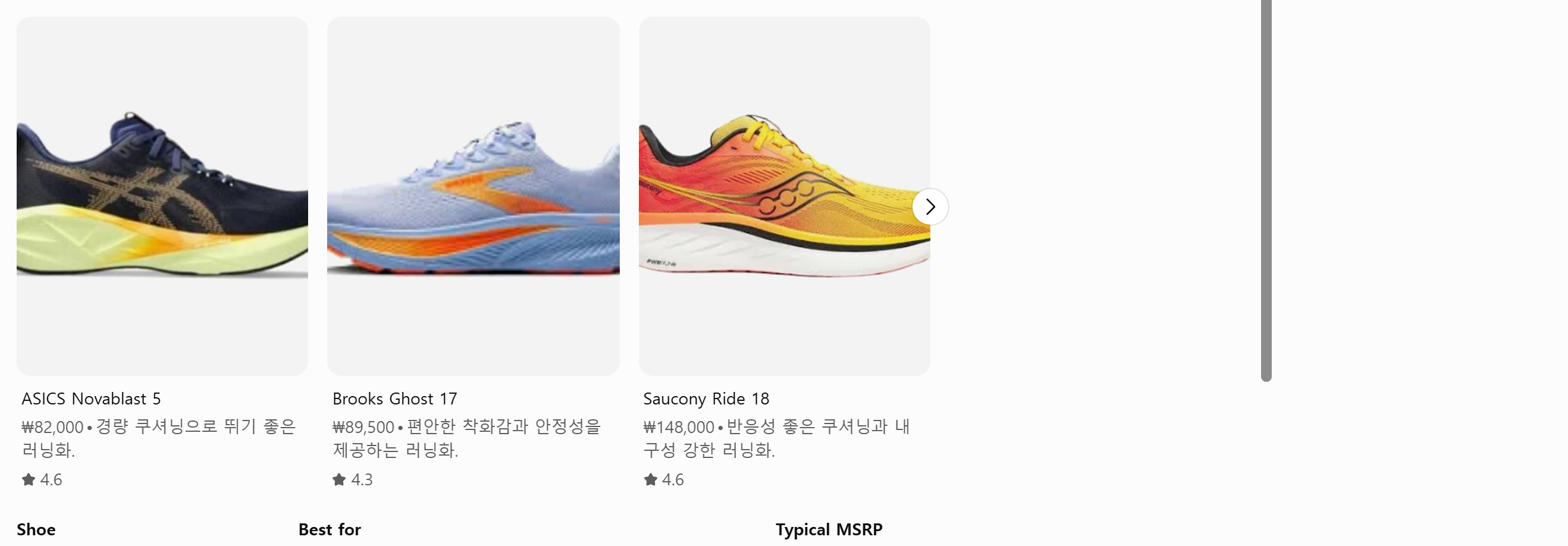 "best running shoes under $150" on the free Korean account. Prices in won, star ratings, no ad label anywhere on the unit.
The headphones question produced the same shape. Three cards with prices in won and ratings, and a comparison table underneath that cited RTINGS.com for its reasoning.
These are not ads. OpenAI's rule says ads are "always clearly labeled as sponsored", and none of this was labeled. I am flagging it anyway, because from the reader's side of the screen a product card with a price and a rating and a buy-shaped layout occupies the same visual slot an ad would, and what distinguishes the two is a label that has to be there. Once ads do arrive on this account, the label is the entire difference between a recommendation and a placement.
The only promotional unit on the screen was OpenAI's own: a card under the answer offering better reasoning if I upgrade to Plus.
What this is and is not
This is one account, one country, one day, two queries. Rollouts move at different speeds for different users, and someone else on a Korean free account may be seeing ads right now. If you want a number out of this, it is that on August 12 the ad count on my screen was zero across two commercial questions.
Three things from this probably hold up beyond my one account. The settings arrived before the ads did, both personalization switches ship on, and memory is included in ad targeting by default.
Check your own account in about a minute
- Open Settings → Data controls. If you are on Free or Go, look for Ads controls at the bottom of that pane.
- Open it. Look at Personalize ads and Past chats and memory. Note what state they are in before you change anything.
- Open Topics to see whether a profile has started building.
- Delete ads data clears history and topics. The panel says it "won't affect your chats."
If you are on Plus, Pro, Business, Enterprise, or Education, OpenAI's page says the ads do not apply to you, and that matches what the panel offers as its remedy.